Shilka
Форумчанин
- Сообщения
- 33
- Реакции
- 6
Try run as administratorHello
Did you resolve this problem? I got same message in Win11 25H2. Anyone have fix way on this error?

Try run as administratorHello
Did you resolve this problem? I got same message in Win11 25H2. Anyone have fix way on this error?

This error happens because when Windows installs the 25H2 update, it also installs a new .NET Runtime 8.0.x.Hello
Did you resolve this problem? I got same message in Win11 25H2. Anyone have fix way on this error?
If you have legit programs installed that use dongles and license managers like Sentinel or Aladdin keys, it becomes a hassle when you try to use a crack for Exocad. I fixed it by uninstalling all the original programs along with their license managers, then installing Exocad, cracking it and opening it for the first time. I open the Dental DB and the DentalCADApp, close them, and then reinstall all the original programs with their original dongles.Hi,
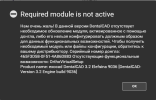
I'm facing a weird issue. When i try running exocad 3.2 9036 dentalcad (either via dentaldb or by exe), i get the following error. I've installed this version multiple times so i'm sure i did all steps right. The PC im working with has some genuine software that uses USB dongles, I suspect this could be generating some incompatibility with the crack.
Has anyone faced something similar?
Thank you!

No cracked yethello, can you please confirm the 3.3 version is working well?

Hey, are there any news about your situation? Did Exocad contact you again?*** Hidden text: cannot be quoted. ***
*** Hidden text: cannot be quoted. ***

Hello, any update about Exocad 3.3 ?..

можете перезалить ортокадБез цитаты


какой это бат-файл?I have a solution for this. I've been applying it to my PCs and it's been working well. I'll share it here with you on the forum since a question about this came up.
To explain the context, when I installed this current version on my machines, I ran a block.bat file (I don't know if you use this). So when the session ends and the user is logged out, I simply disable the firewall, log back in with the same account, and then re-enable the firewall. Just do this and it works.
I've never had problems logging back in with the same account, but if you do, just create another one and log in again.
What bat file is this?

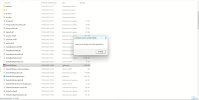
Установил орто модуль, но при запуске OrthoCAD появляется следующее сообщение. Как-то можно исправить?Без цитаты